Pizzapocalypse 2
Technical Game Designer
Pizzapocalypse 2 is the sequel to Pizzapocalypse, this time as a commercial product. This was another third person platformer about using an expressive moveset comparable to Super Mario Odyssey.
I took the role of primary technical designer creating the dynamic camera, tools to speed up development, working on core systems and being in charge of technical quality control for our other designers. I also worked on project related things such as the art prop pipeline, code standards for Blueprints and shader programming.
I took the role of primary technical designer creating the dynamic camera, tools to speed up development, working on core systems and being in charge of technical quality control for our other designers. I also worked on project related things such as the art prop pipeline, code standards for Blueprints and shader programming.
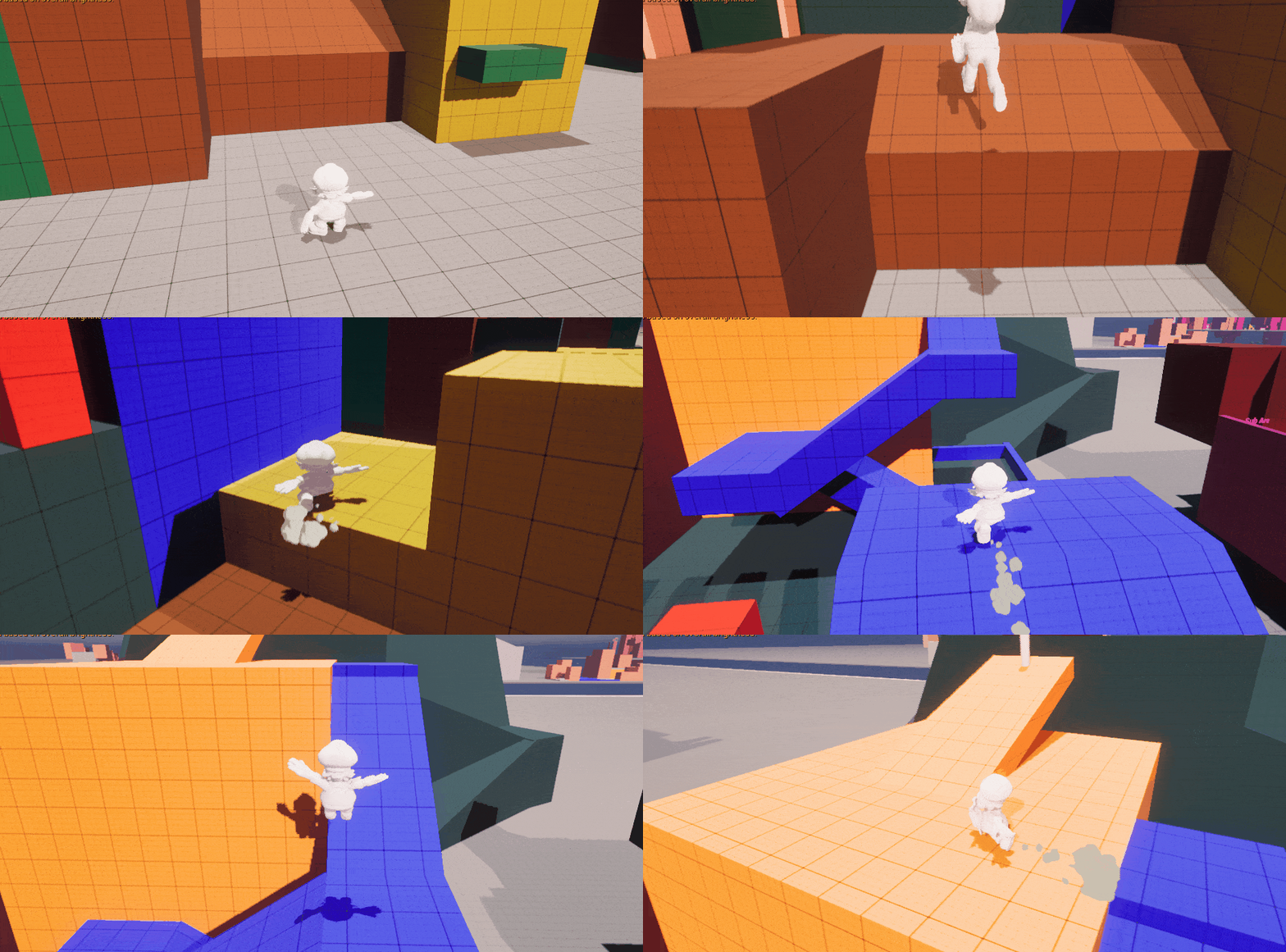
Early prototype of the camera, no camera input used here
Dynamic Camera
The goal
As the only technical designer I was responsible for one of the most crucial features, researching, designing and implementing the camera. For this I first had to set the goal for our vision:
- Our game is in urban areas, limiting the player to crowded spaces
- Unlike the original the player should be able to control their camera
- The target audience is children, so the camera should be accessible to all skill levels
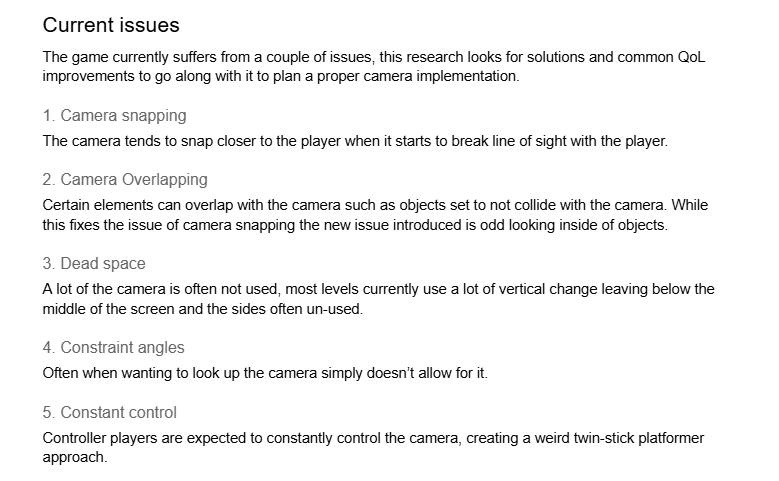
Research/Design Approach
I used a combination of research and prototyping to reach the intended goals.
- For camera following I deliberately went against the industry standard of lagging the camera, prioritising clarity over character feel taking inspiration from Super Mario Odyssey and putting it in our own project's constraints.
- I also took inspiration from technical documentation on how to implement my camera speeding up the rate at which I could prototype and deliver.
- I compiled a list of potential features exploring potential solutions for future risks making my research a one-size fit all
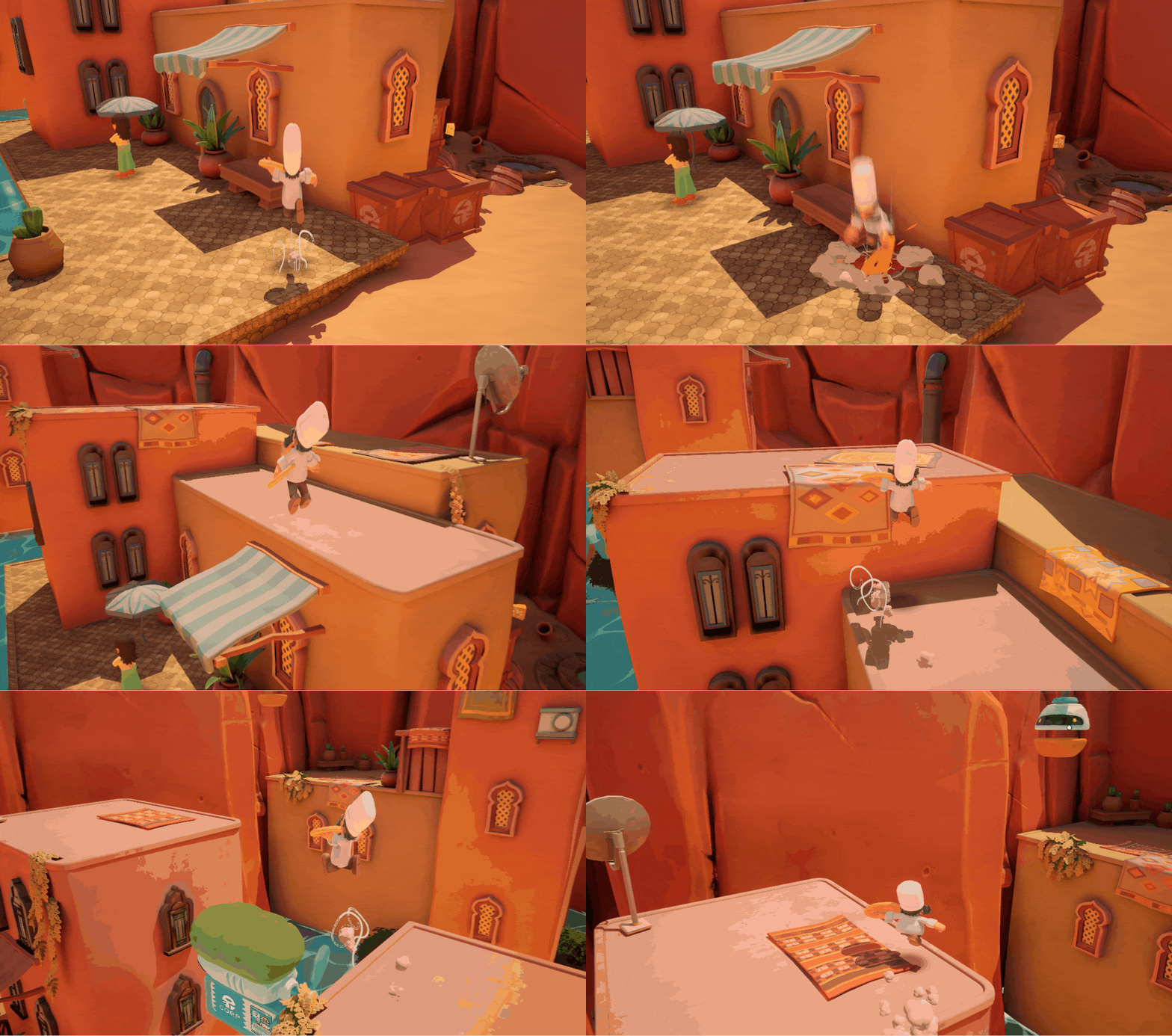
In-game, no manual camera input used
Results
The prototyping and research resulted in a camera up to industry standards. Containing all the QoL features expected from a 3D platformer and features specifically made for our game and problems. Key features:
- Changing rotation to look towards the action and avoid obstacles
- Vertical delay to sell the impact of a jump while keeping the camera focused
- Pitch and camera distance locked to ensure good visibility for all angles and game feel
- Settings for player preference and accessibility
Tool creation
Camera tools
Early in development I sat down with my lead and the level designers and considered different tools we would want in the game to control the camera. Using my research as a basis we decided to have focus points, static cameras, 2D camera and cut-scenes. I made all of those and continued support for them throughout development making sure documentation was up-to-date and my level designers were using them properly without issues.
In the end having enough tools for my level designers to be creative and give a bit of control of the camera while avoiding giving too much room for inconsistency and chaos the original game had with its tools.
In the end having enough tools for my level designers to be creative and give a bit of control of the camera while avoiding giving too much room for inconsistency and chaos the original game had with its tools.
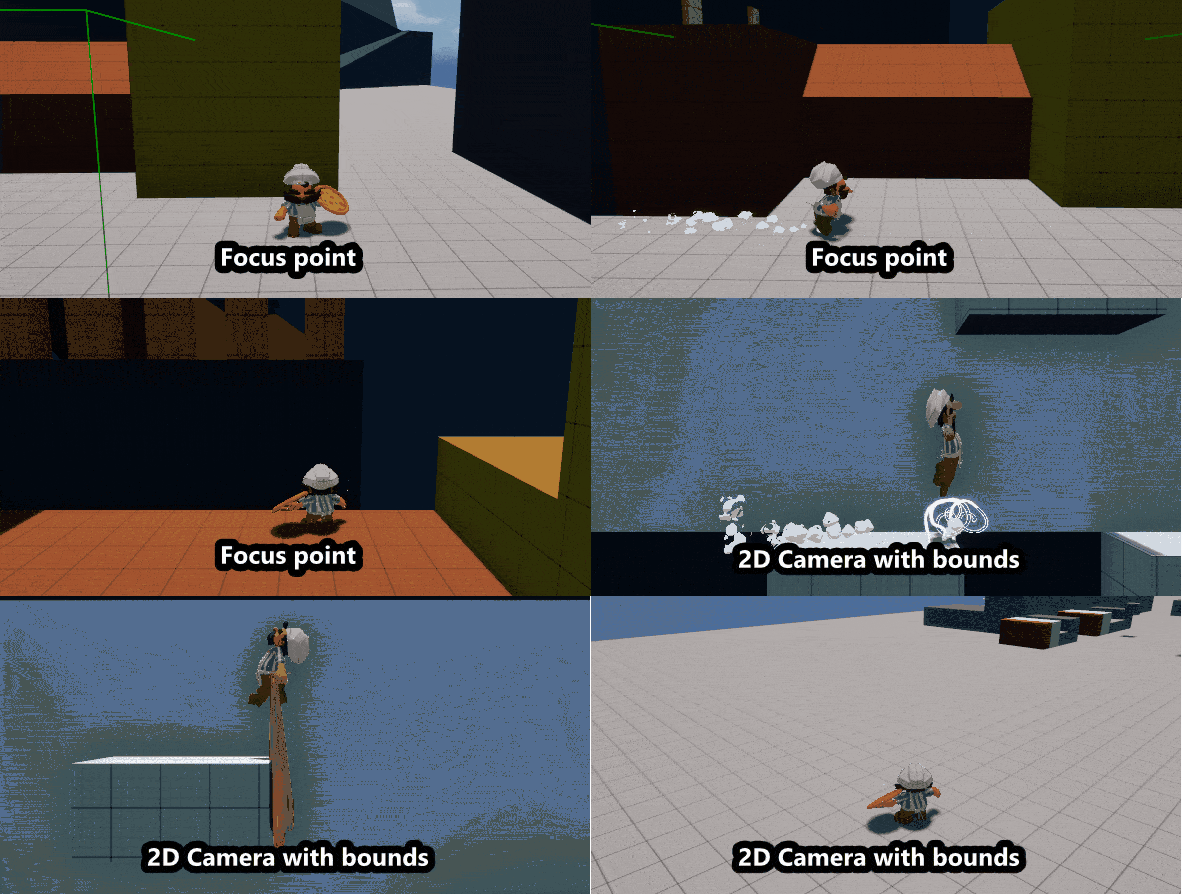
2 Examples (not full screen)
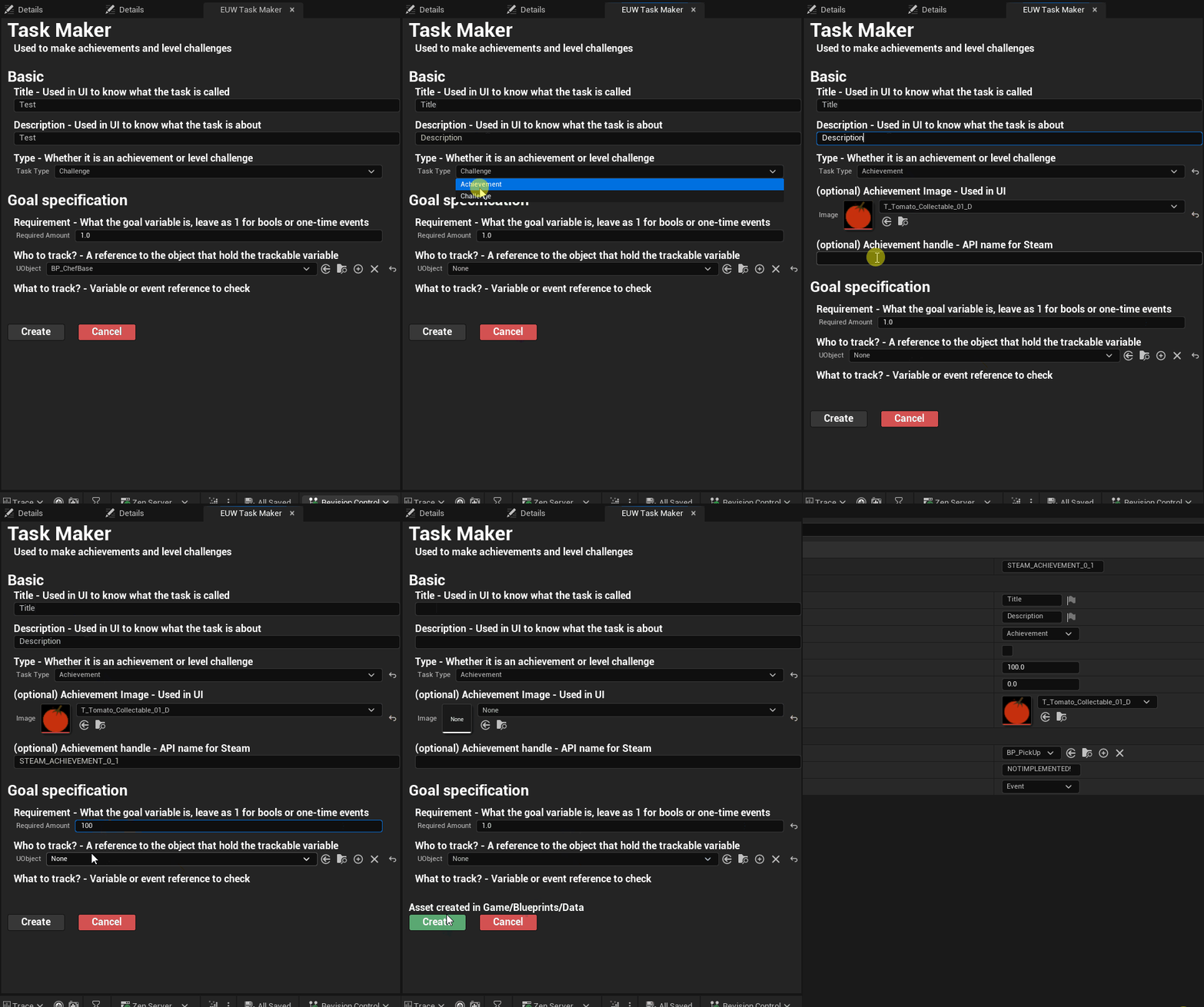
Achievement tool
The original Pizzapocalypse had 14 hard-coded achievements I wanted to avoid this in our sequel so I created an achievements tool. Using an observer class made in collaboration with my programmer. I also integrated the achievement system with other systems such as unlocking content and APIs for specific platforms.
This empowered the team to make 50+ achievements for the players and another ~10 achievements that we use in the back-end.
This empowered the team to make 50+ achievements for the players and another ~10 achievements that we use in the back-end.
NPC Creation tool
Our project needed more life in the world but we had limited art resources so I built a modular NPC creation tool to allow for mixing and matching NPC looks.
I worked together with our art lead to set up dynamic materials for customization, our character artists to make models swappable and with our animators to ensure every combination worked. This was solidified into a single pipeline documented and owned by me.
The final work resulted in a tool that artists preferred using to check their work. The tool being so easy to use that our creative director and level designers made 40+ NPC presets by themselves.
I worked together with our art lead to set up dynamic materials for customization, our character artists to make models swappable and with our animators to ensure every combination worked. This was solidified into a single pipeline documented and owned by me.
The final work resulted in a tool that artists preferred using to check their work. The tool being so easy to use that our creative director and level designers made 40+ NPC presets by themselves.
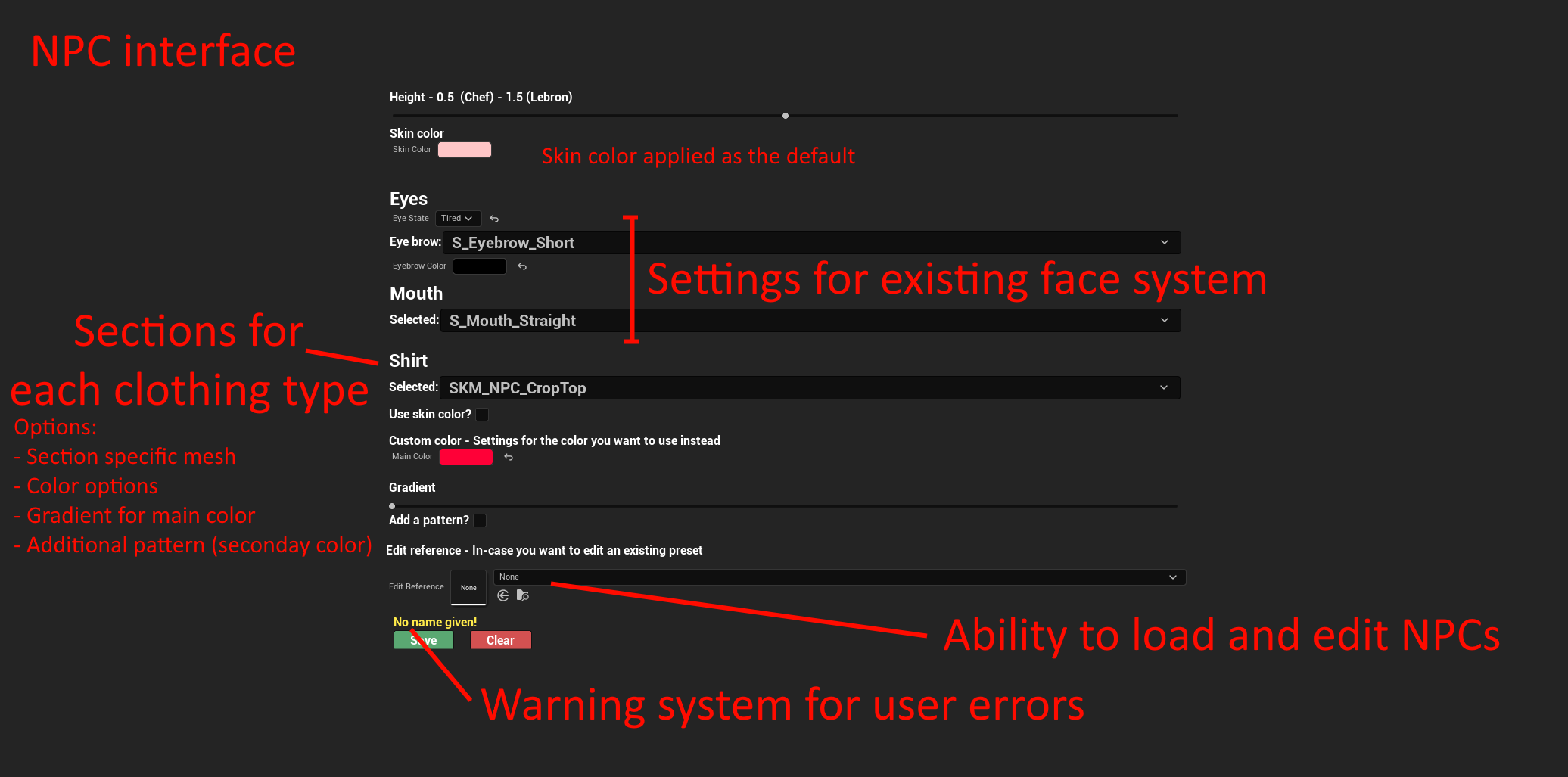
Showcase of different tool sections
This tool creates data assets for editability and makes baked meshes for shipping builds. NPCs can be assigned specific looks by selecting a data asset for specific interactions.
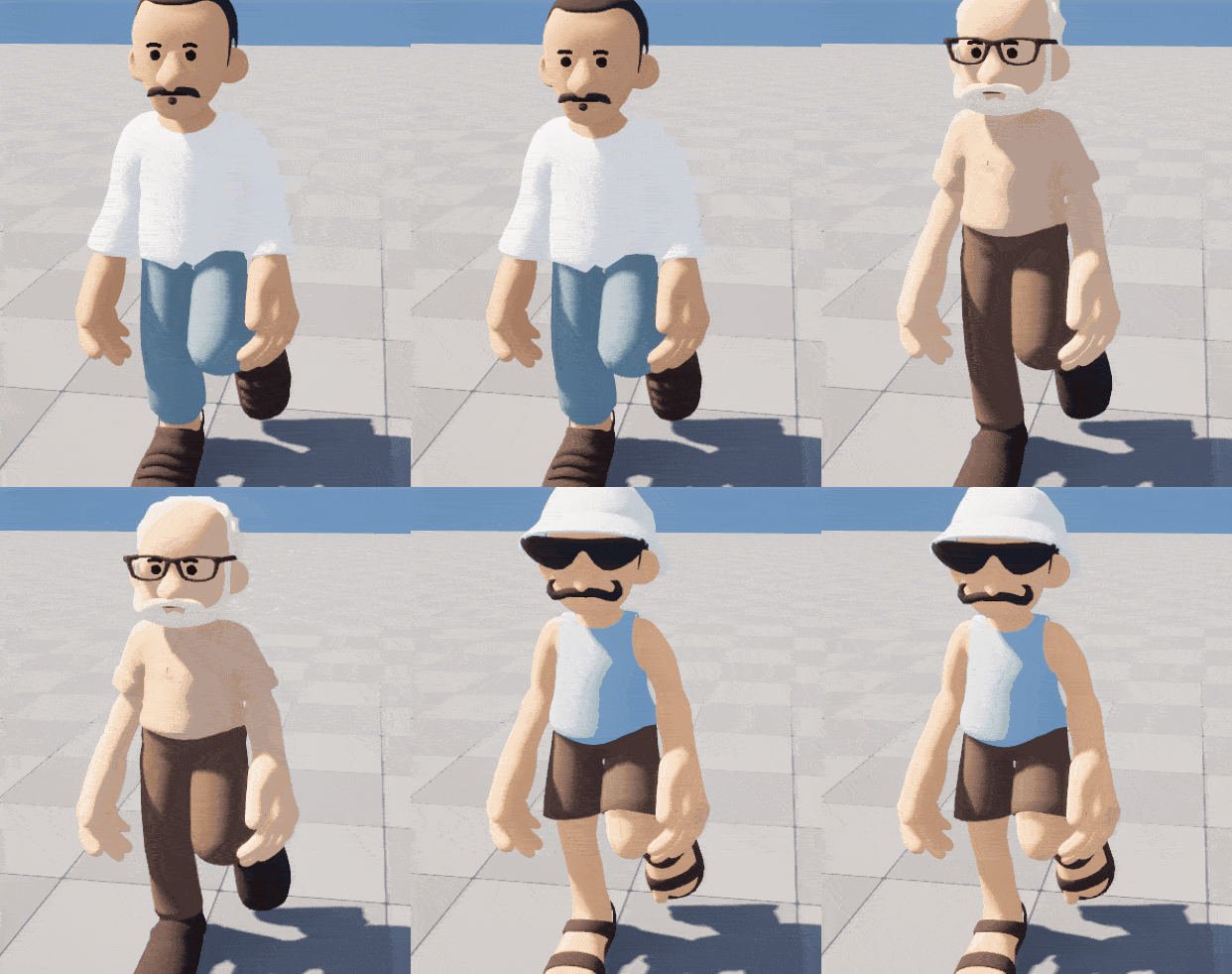
NPC Results
Technical ownership
Shader programming
Technical Game Designers end up a lot in problem solving, whether this finding out how to implement something or optimizing something a level designer or system designer made for scalability. One of these examples is material animations.
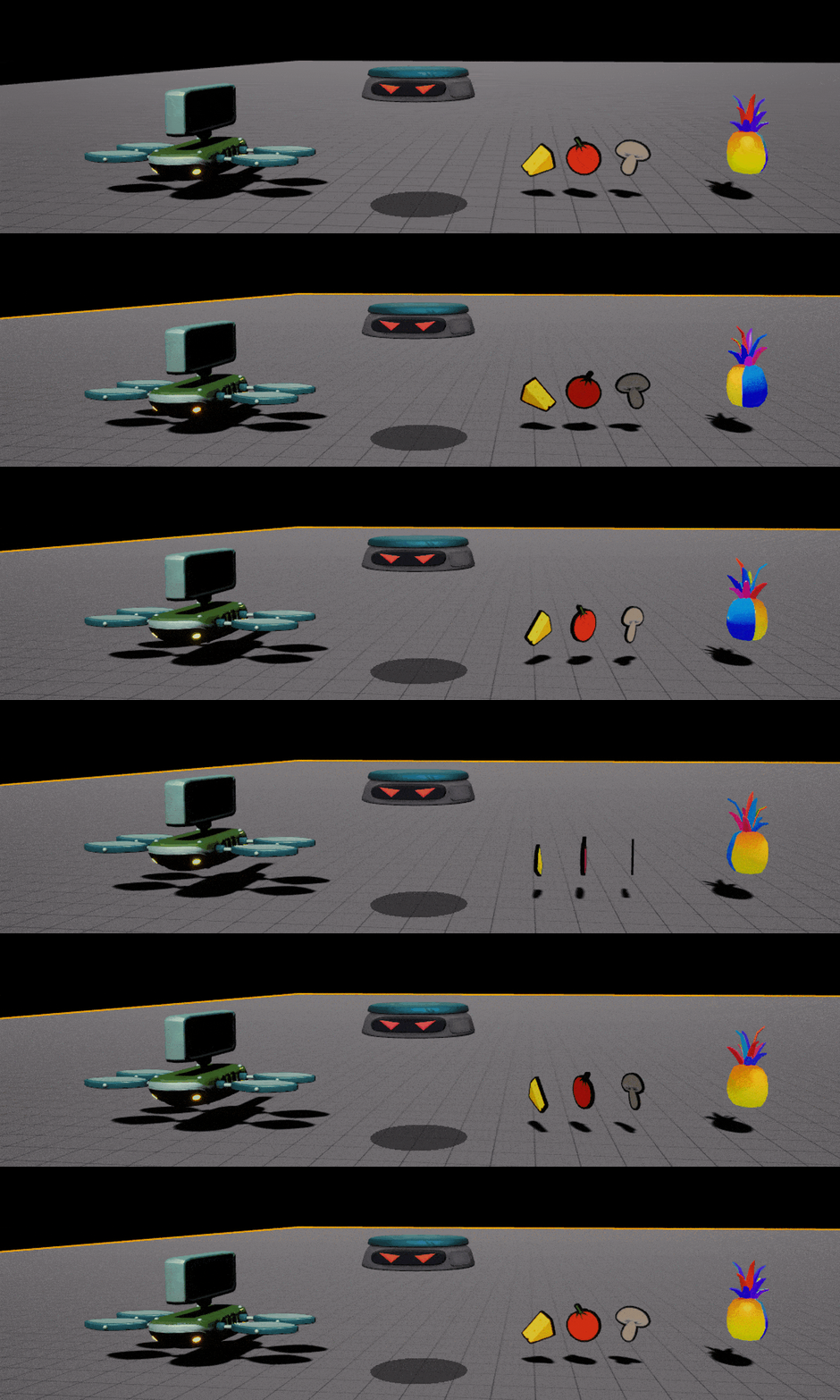
Early on in the project system designers wanted to add some game feel to the game and adding bobbing and spinning to certain objects by updating the transform once or twice per frame. When I added a feature with bobbing I looked at the costs and saw updating transforms was not worth it. I took the initiative to update our master materials to include animations for this done on the GPU allowing for less load and higher frame rate. With the help of the team I onboarded the system designers and updated the old assets to work with this new animation.
Early on in the project system designers wanted to add some game feel to the game and adding bobbing and spinning to certain objects by updating the transform once or twice per frame. When I added a feature with bobbing I looked at the costs and saw updating transforms was not worth it. I took the initiative to update our master materials to include animations for this done on the GPU allowing for less load and higher frame rate. With the help of the team I onboarded the system designers and updated the old assets to work with this new animation.
Insert gif of camera tools
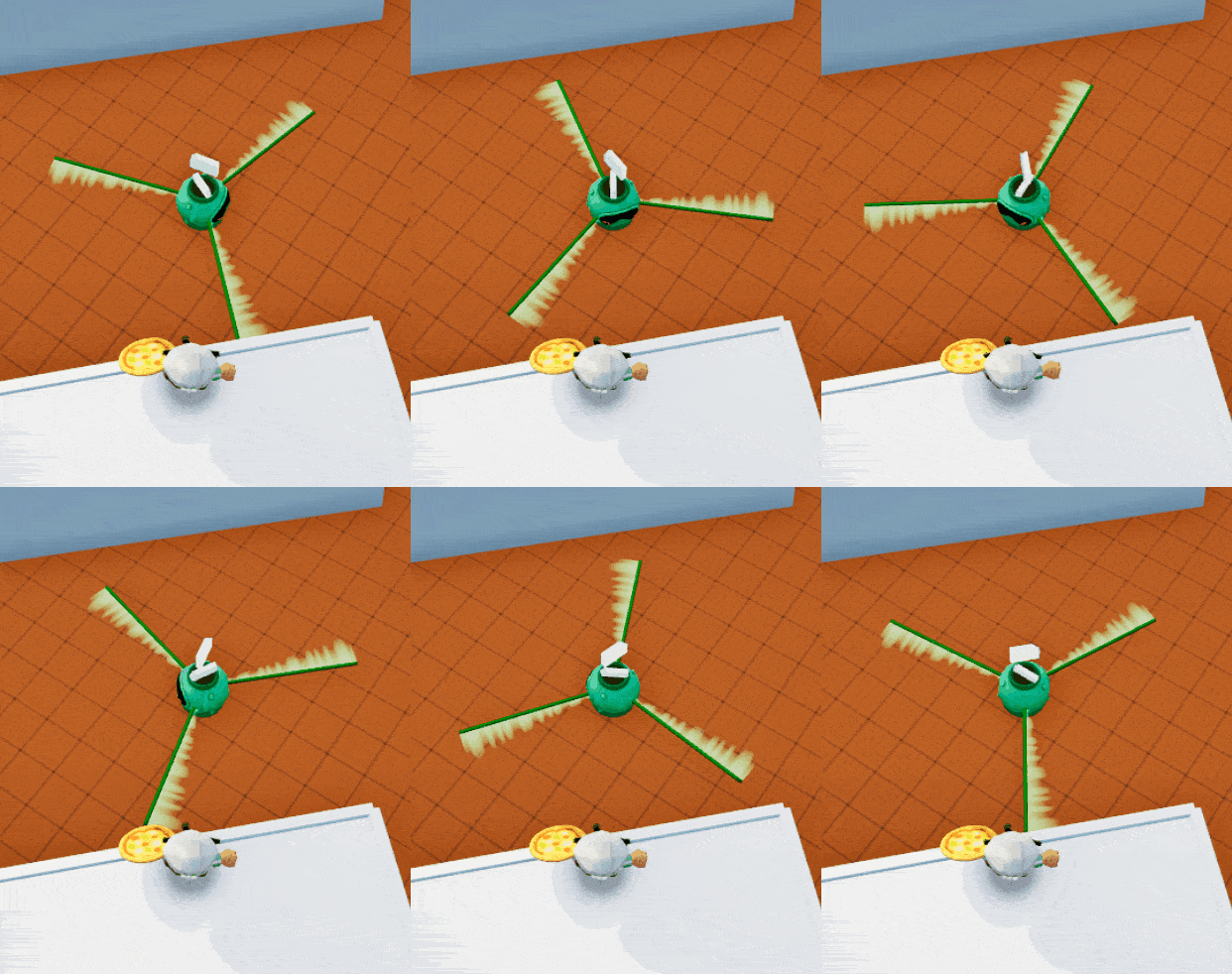
Spinning VFX to cover lack of VFX artists
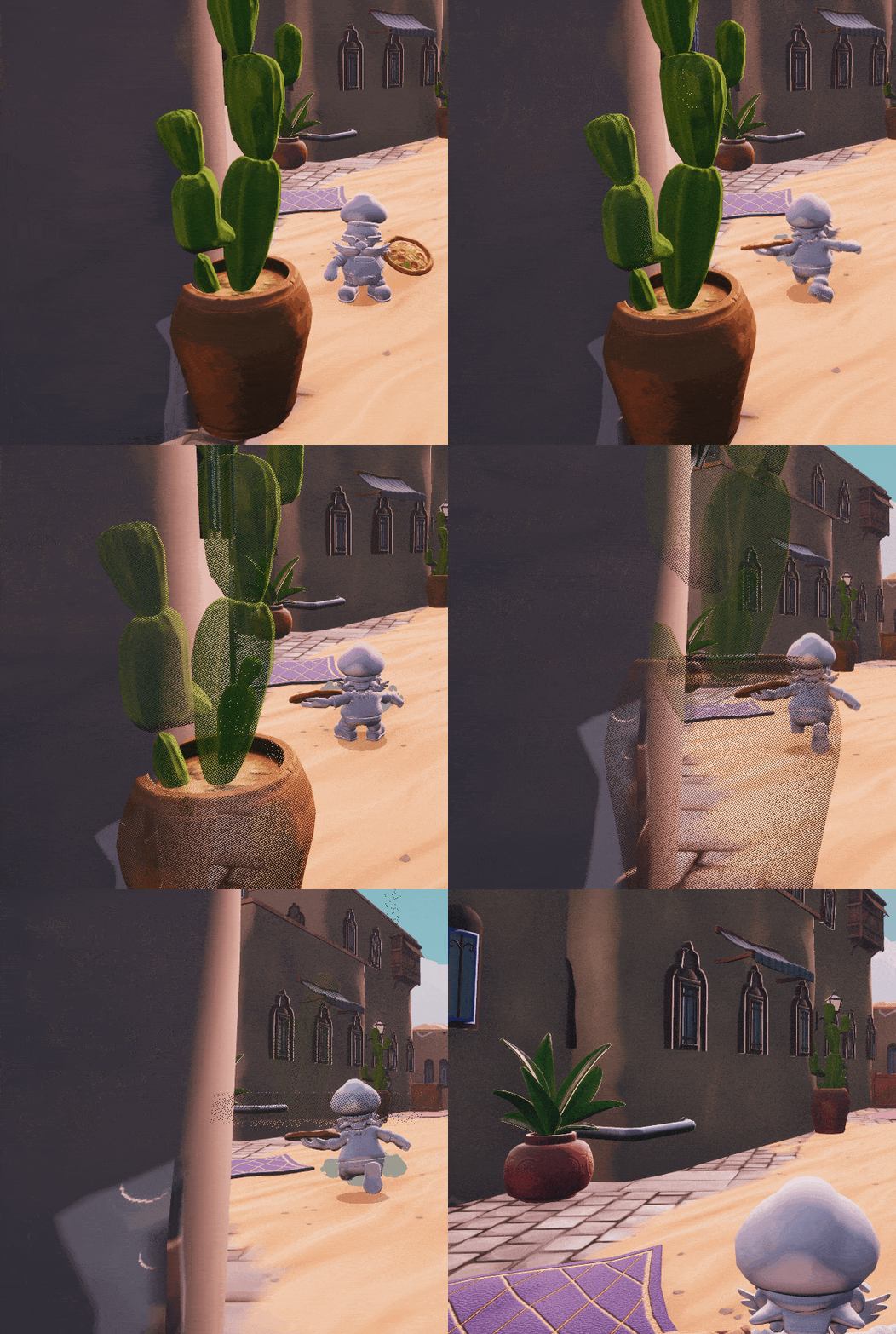
Dithering to avoid the camera getting obscured
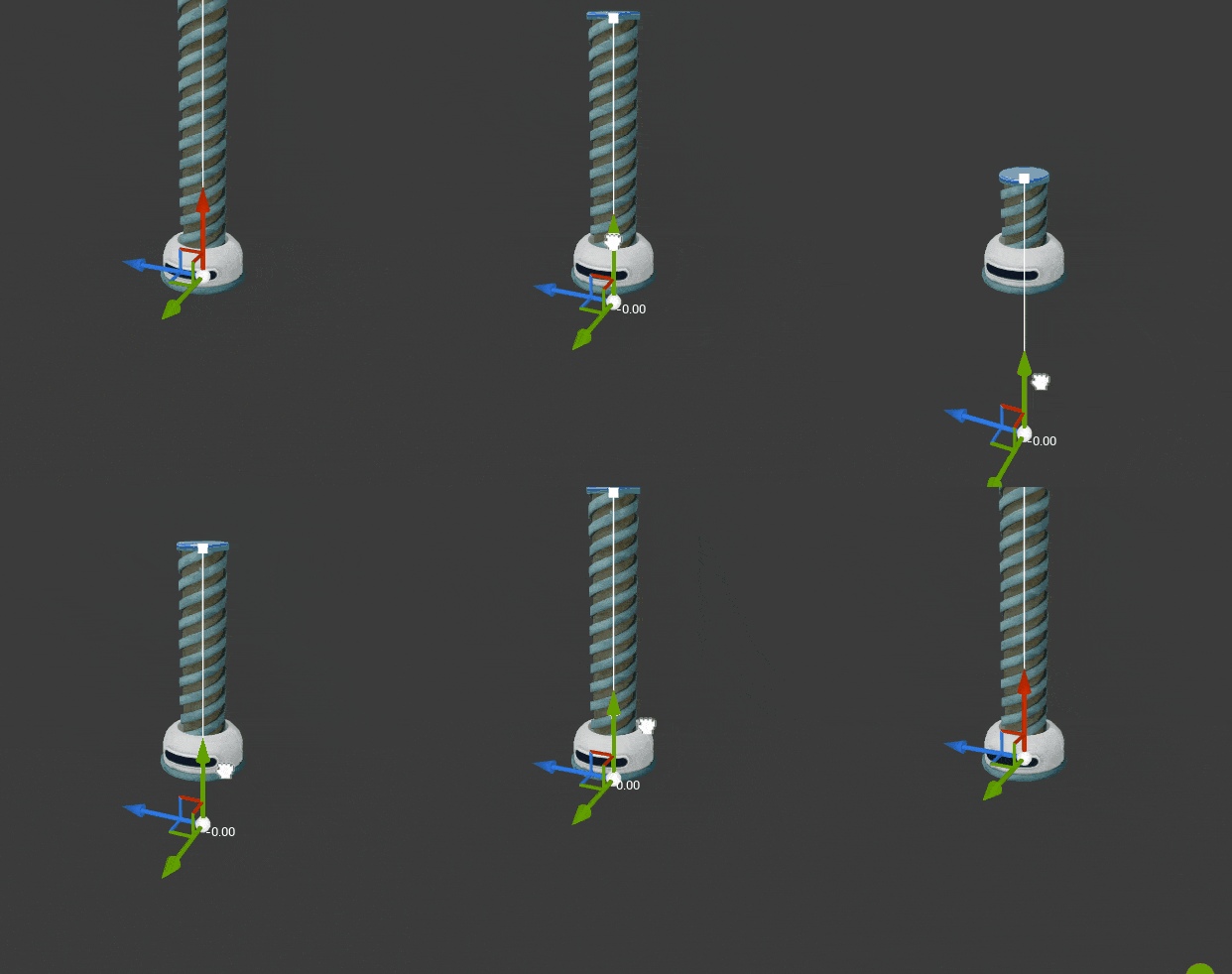
Screw being transparent below actor
Optimization
I took ownership of optimization alongside our only programmer, delivering an 80% VRAM reduction, 20% faster gameplay thread and 20% faster render thread through LOD setup, distance culling, skeletal mesh merging and blueprint profiling.
Hardware research
Early in the project I took the initiative to research target hardware, setting clear goals around model counts, LOD budgets for Switch ports and target FPS which were guiding decisions throughout development.
My recommendations, such as aggressive culling and baked textures, were later echoed by our external porting partner.
My recommendations, such as aggressive culling and baked textures, were later echoed by our external porting partner.
Feature ownership
Throughout this project I owned many player-facing features, either owning the full pipeline or working with prototypes and creating production-ready versions.
Owning these features meant working closely with artists, designers, leads and our programmer, bringing expertise from all disciplines together to create something polished.
I applied my skills in animation blueprinting, shader programming and VFX to add game feel to these features and they are amongst the most polished features according to my team.